v0.0.1 · free & open source — forever

The database client
that never goes behind a paywall

A fast, local-first GUI for SQLite, MySQL, PostgreSQL, SQL Server, Redis, DynamoDB, MongoDB, Cassandra, ClickHouse and Typesense. Cross-platform and fully native on macOS, Windows and Linux — no account, no subscription.

Featured on BengalLaunch
SQLite MySQL PostgreSQL SQL Server Redis DynamoDB MongoDB Cassandra ClickHouse Typesense more coming

Everything you expect. Nothing locked away.

The features other clients charge for — free, in every build.

Ten engines, one app

SQLite, MySQL, PostgreSQL, SQL Server, Redis, DynamoDB, MongoDB, Cassandra, ClickHouse and Typesense — each opens as its own colored workspace, side by side in one window. More engines on the way.

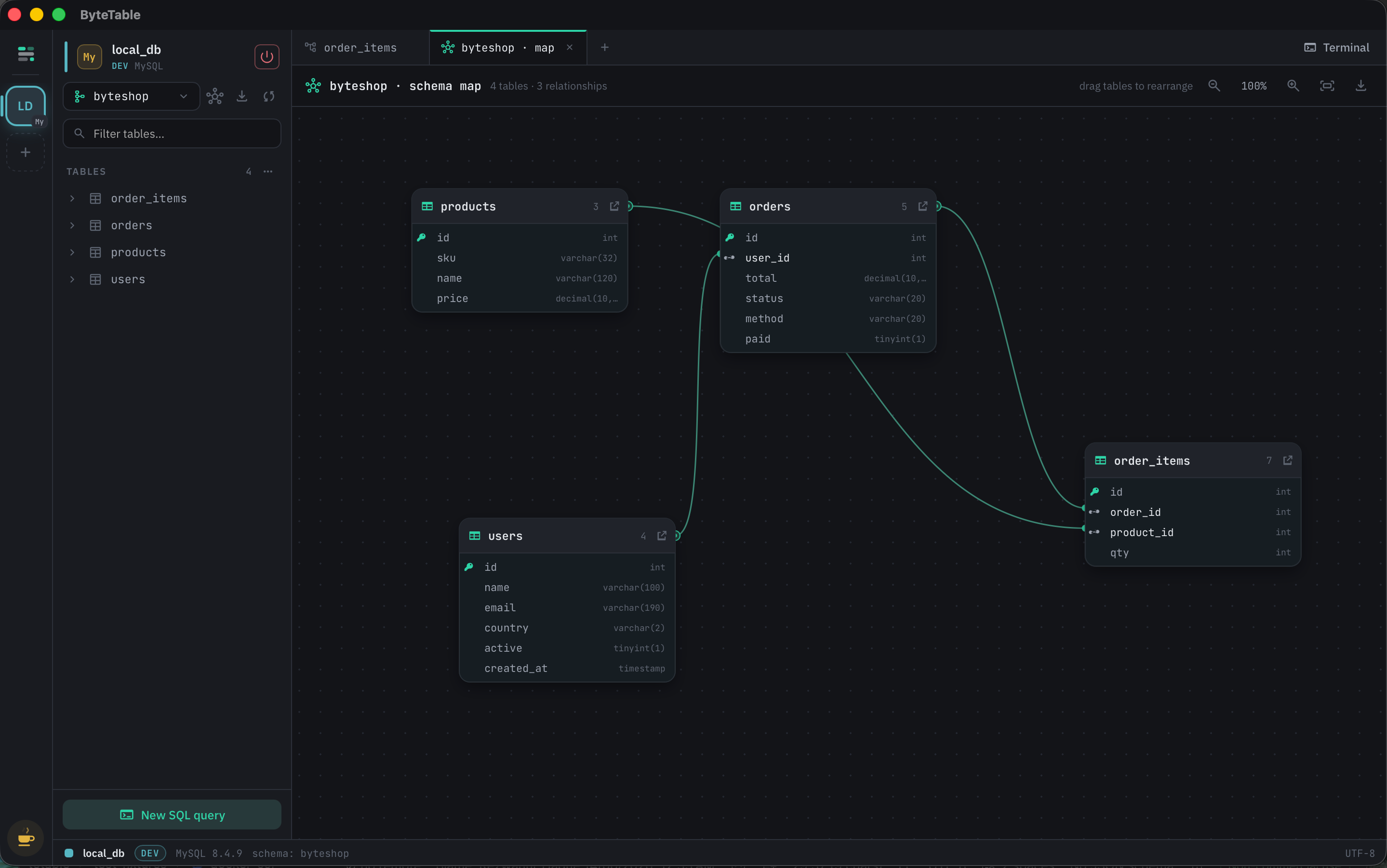
Interactive schema map

A draggable ER diagram of your tables and foreign keys. Click any value to hop across relationships.

Built-in SQL terminal

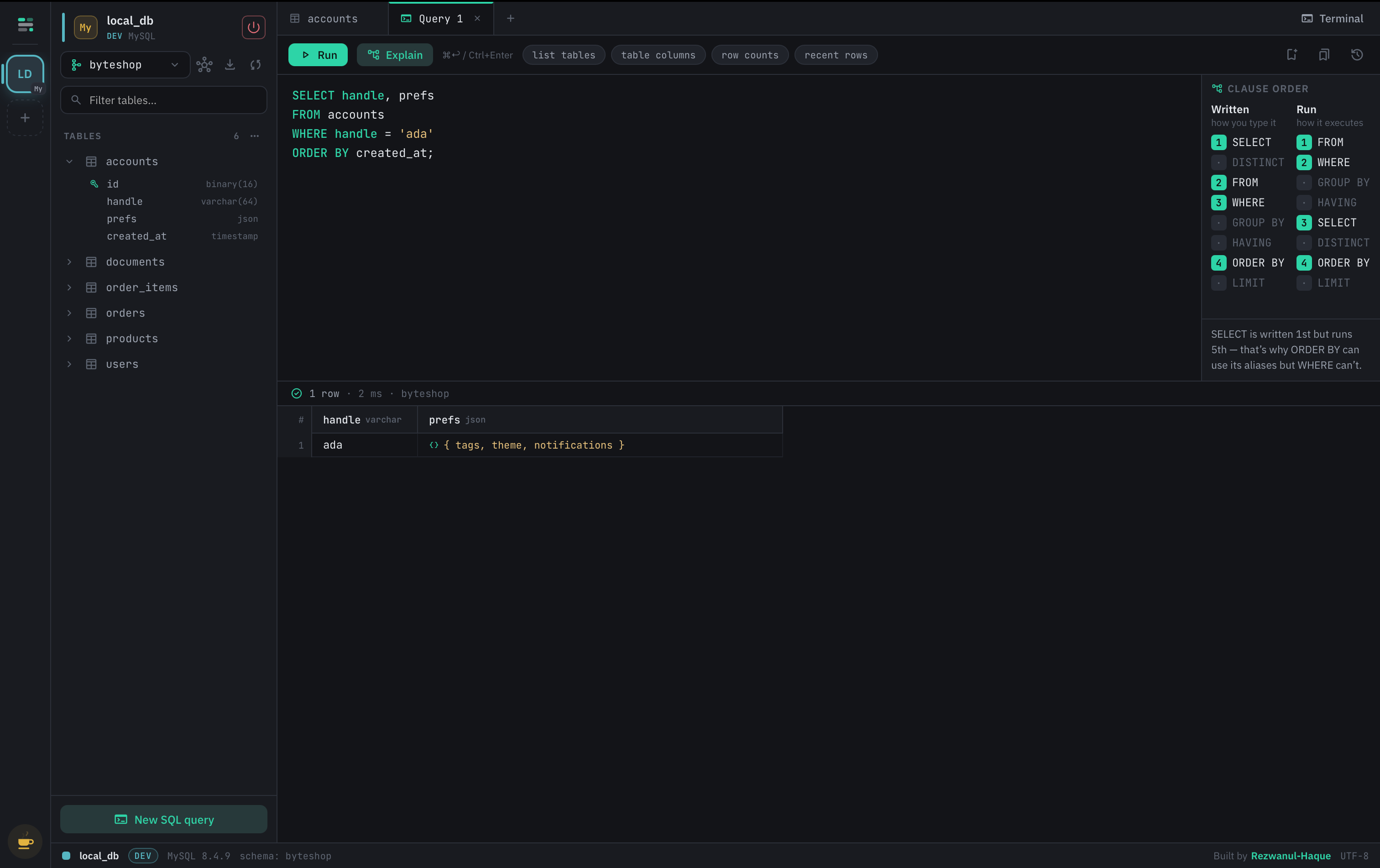
A real psql / mysql / sqlite shell in a VS Code-style panel — meta-commands and all — plus redis-cli, mongosh and cqlsh.

Smart cell editors

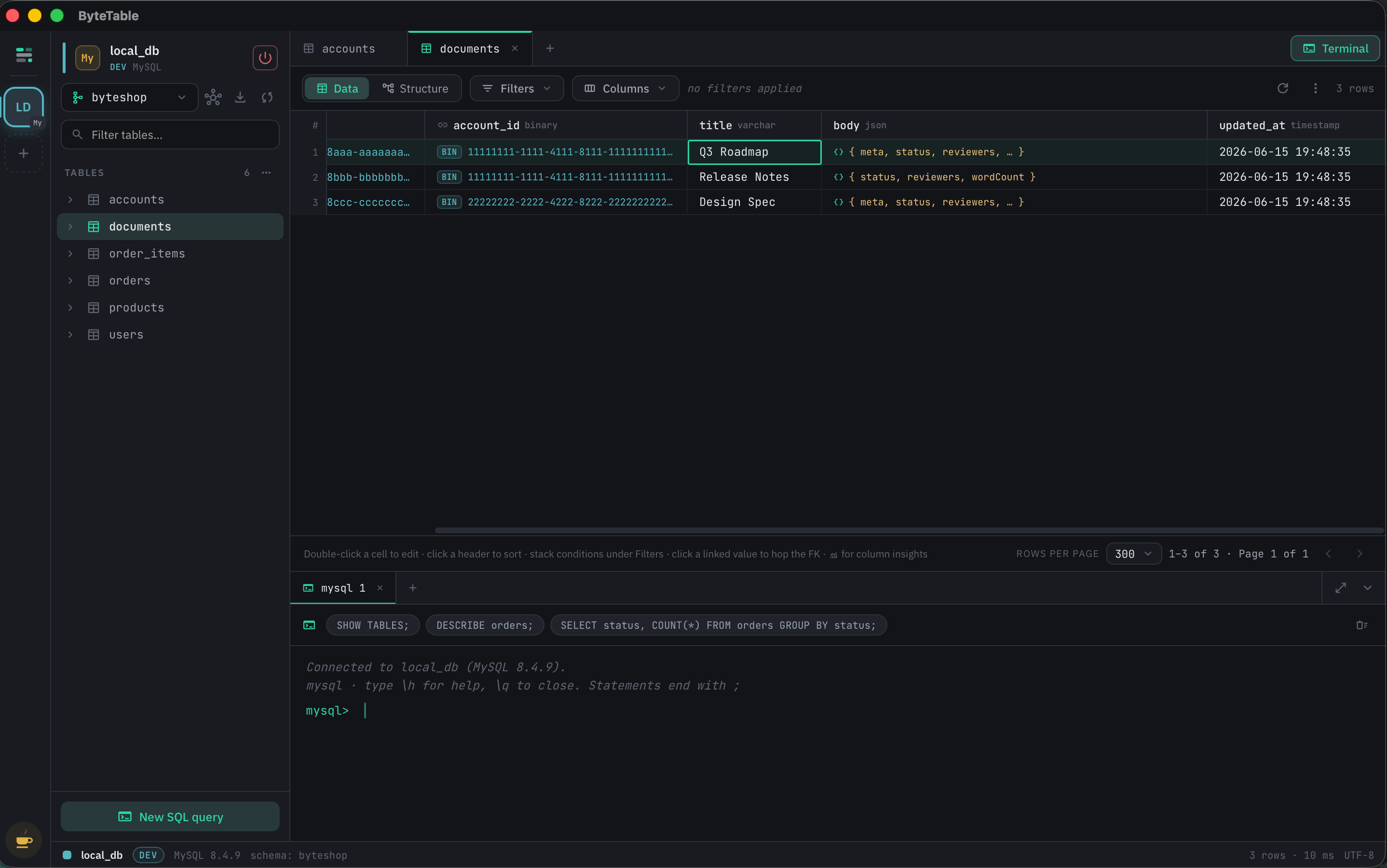
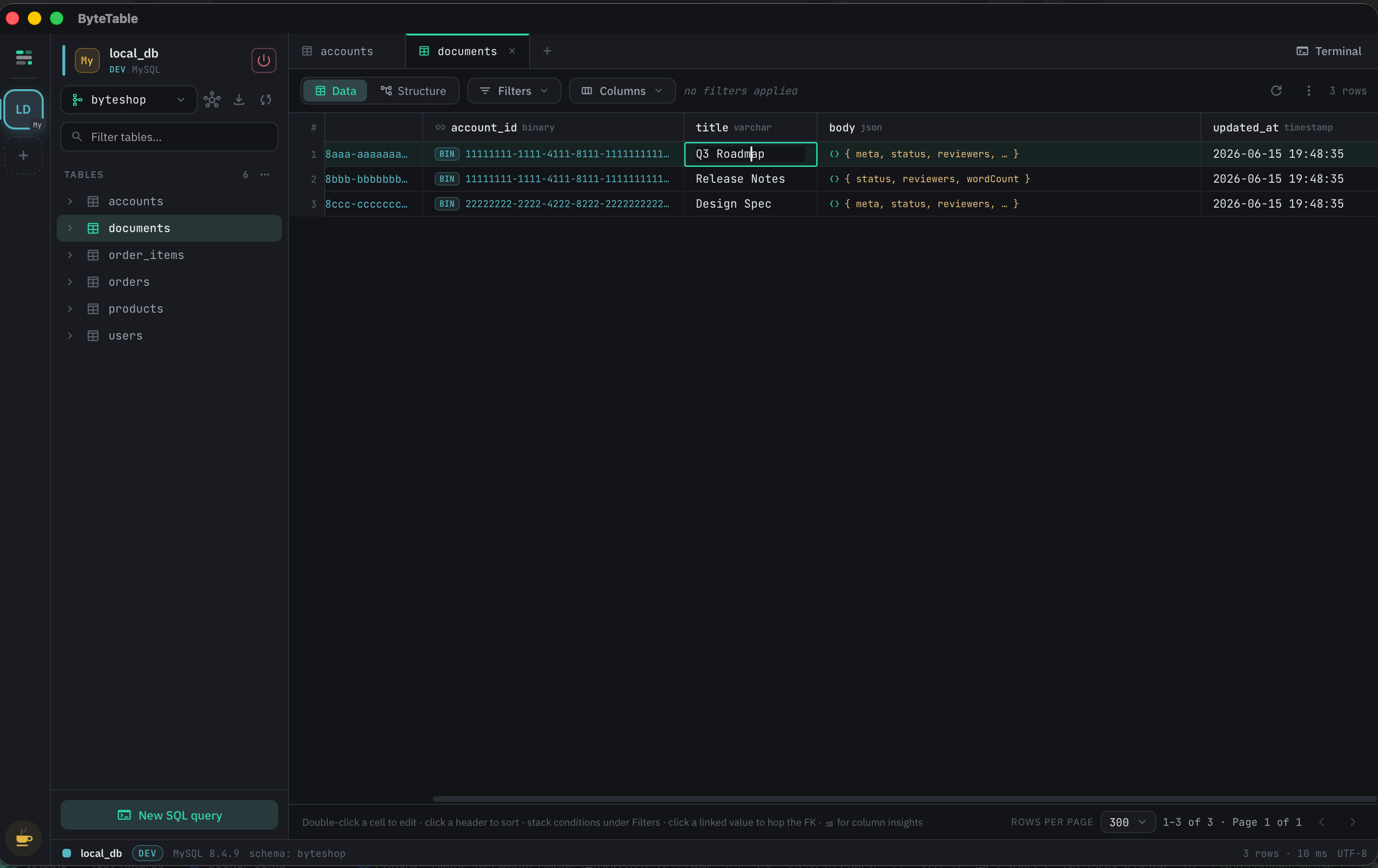
JSON / JSONB with live validation and a tree view, BINARY(16) rendered as canonical UUIDs — values you can't break.

Built for big tables

Paginated grids keep memory flat on million-row tables. Stack filters, pick columns, export to CSV or SQL.

Local-first & private

Your credentials never leave your machine. SSH tunnels, TLS, OS-keychain secrets. No telemetry, no account.

Big list of features

Everything ByteTable does today — in every build, for everyone.

Connect

  • Easily connect with SSL/TLS — prefer, require, verify-full
  • Connect through SSH tunnels (password or private key)
  • Ten engines supported, side by side
  • MongoDB connection-string parsing, incl. Atlas mongodb+srv://
  • Open a SQLite file straight from disk
  • Paste a connection URL or ODBC string and have the fields filled in
  • AWS profile, static-key or local-endpoint auth for DynamoDB
  • Secrets in the OS keychain — never in a config file
  • Project folders for connections, drag cards between them
  • Filter your saved connections as you type
  • Mark a connection production — writes then ask first
  • Configurable connect timeout, so a bad host can't hang you

Workspace & UI

  • Multiple live connections as colored, renamable workspaces
  • Open a schema, keyspace or database as its own sub-workspace — same connection, nested in the rail, with its own tabs
  • Sub-workspaces start temporary and close with their parent — -click the tile to keep one
  • Tabbed interface, one tab set per workspace
  • Saves tabs between sessions — reopen a connection, get its tabs back
  • Global quick search: jump to any table or command with ⌘K
  • 12 themes including light, plus accent, fonts, size and density
  • 8 interface languages — English, বাংলা, Español, Deutsch, 日本語, 简体中文, 繁體中文, العربية
  • Full right-to-left layout for Arabic — SQL, data and identifiers stay left-to-right
  • Region-aware dates, numbers, 12/24-hour clock and first day of the week
  • Switch language from any workspace in one click — no restart
  • Keyboard-first: ⌘↩ run, ⌘S save, ⌘, settings, Ctrl+` terminal
  • System tray, native window controls, auto-update
  • Report an issue from inside the app, with the environment prefilled

SQL editor

  • Code highlighting (CodeMirror 6)
  • Schema-aware autocomplete — tables, columns, keys
  • Per-engine SQL dialect — keywords, functions and highlighting match the connection
  • Multi-cursor editing — -click for extra cursors, -drag for a column selection
  • Run the statement at the caret, the selection, or the whole buffer
  • One-click SQL formatter
  • Per-tab query history
  • Saved queries — global, or scoped to one connection
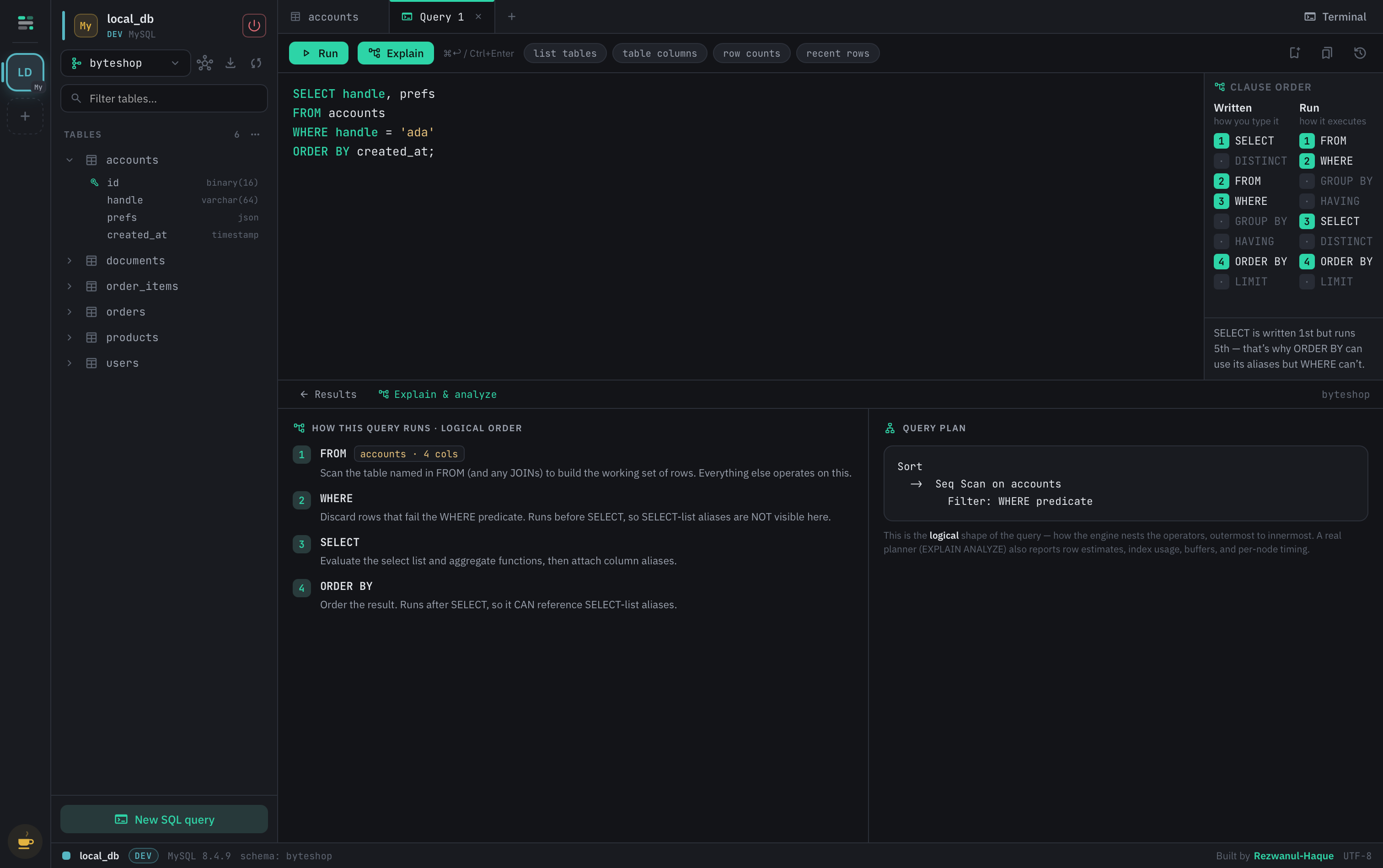
  • Explain panel + written-vs-run execution-order minimap
  • Editor font zoom and ligature toggle
  • Sortable query result tables — click a header, NULLs sink to the bottom
  • Download query results as CSV — selected rows or all, in the sorted order

Table data

  • View table data in a virtualized grid with server-side paging
  • Sortable columns, pickable columns, rows-per-page footer
  • Stackable filter builder — 13 operators, plus a raw WHERE escape hatch
  • See the exact SQL a filter will run before it runs
  • Inline-editing of table data
  • Stage changes before applying — edits and new rows commit in one batch
  • Review the batch SQL before it touches production
  • Clickable foreign keys — peek the referenced row, or open it filtered
  • Column insights from any header: distinct, nulls, min/max/avg and a top-5
  • Insights respect the filter you're looking at, not the whole table
  • Output data formatting: JSON tree editor, BINARY(16) as UUID, date/time pickers
  • Row inspector, and copy any cell value
  • Right-click any row to duplicate, copy or export just that row
  • New rows come pre-keyed — auto-increment, UUID or BINARY(16)

Schema & structure

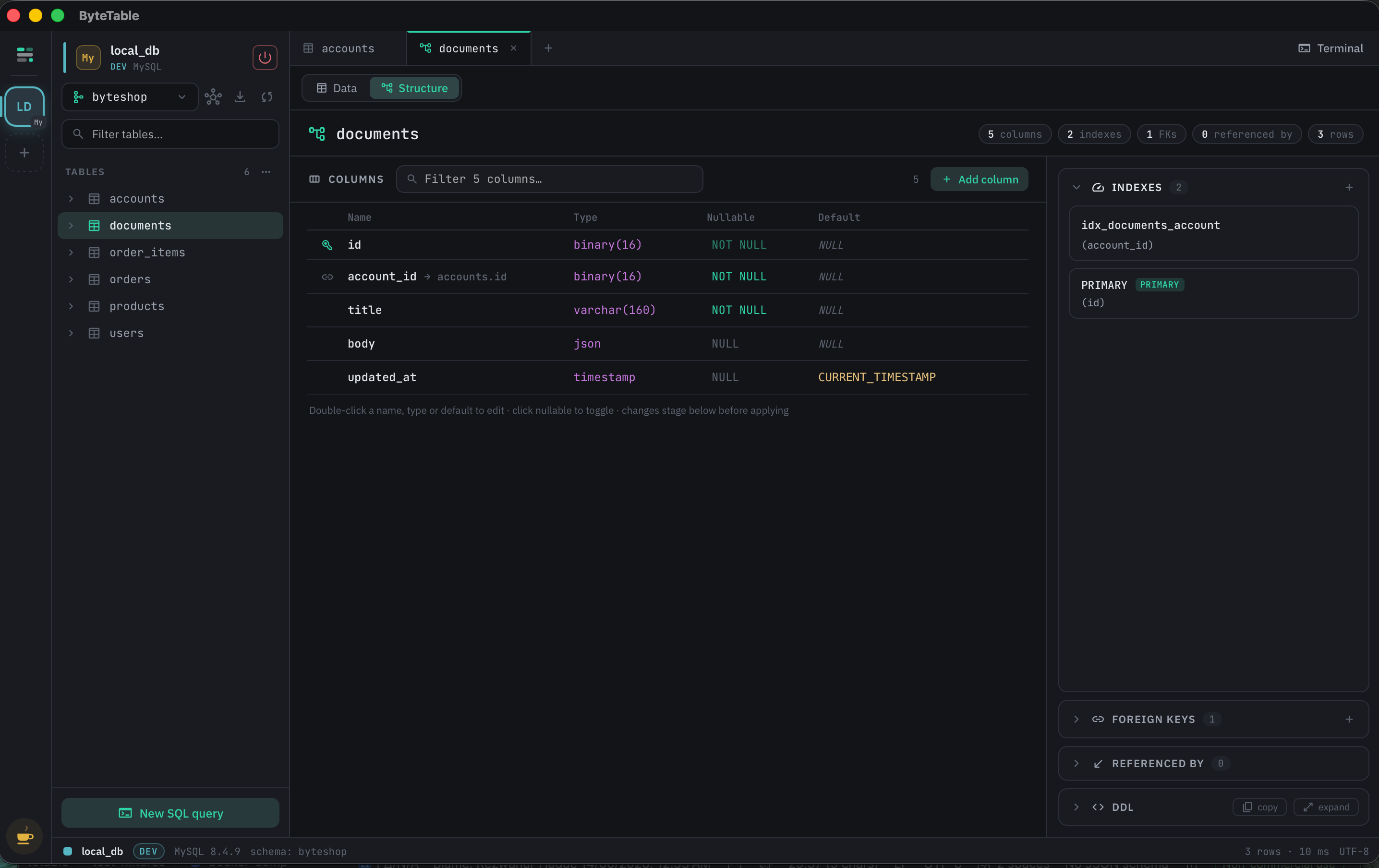
  • Structure view: columns, indexes, foreign keys, referenced-by, DDL
  • Alter existing tables — staged into reviewable ALTER statements
  • No-code table creator
  • Easy auto-increment column creation
  • Create & edit indexes
  • Create & edit relations
  • Object explorer: views, materialized views, functions, procedures, triggers
  • Bulk-drop objects from the explorer
  • Empty a table or drop it outright, behind a confirm that shows the SQL
  • Opt in to your engine's foreign-key override — CASCADE, or checks off for the statement
  • Empty a schema, or delete the schema itself — type its name to arm it
  • Interactive schema map: draggable ER diagram, movable FK edges, zoom
  • Export the schema map to PNG or SVG
  • Schema diff for PostgreSQL, MySQL & SQLite — compare two connections, or two schemas in one
  • Read the exact change DDL for a diff and copy it out

Import & export

  • Export tables to multiple formats — CSV, SQL, JSON
  • Export a whole schema as one SQL file
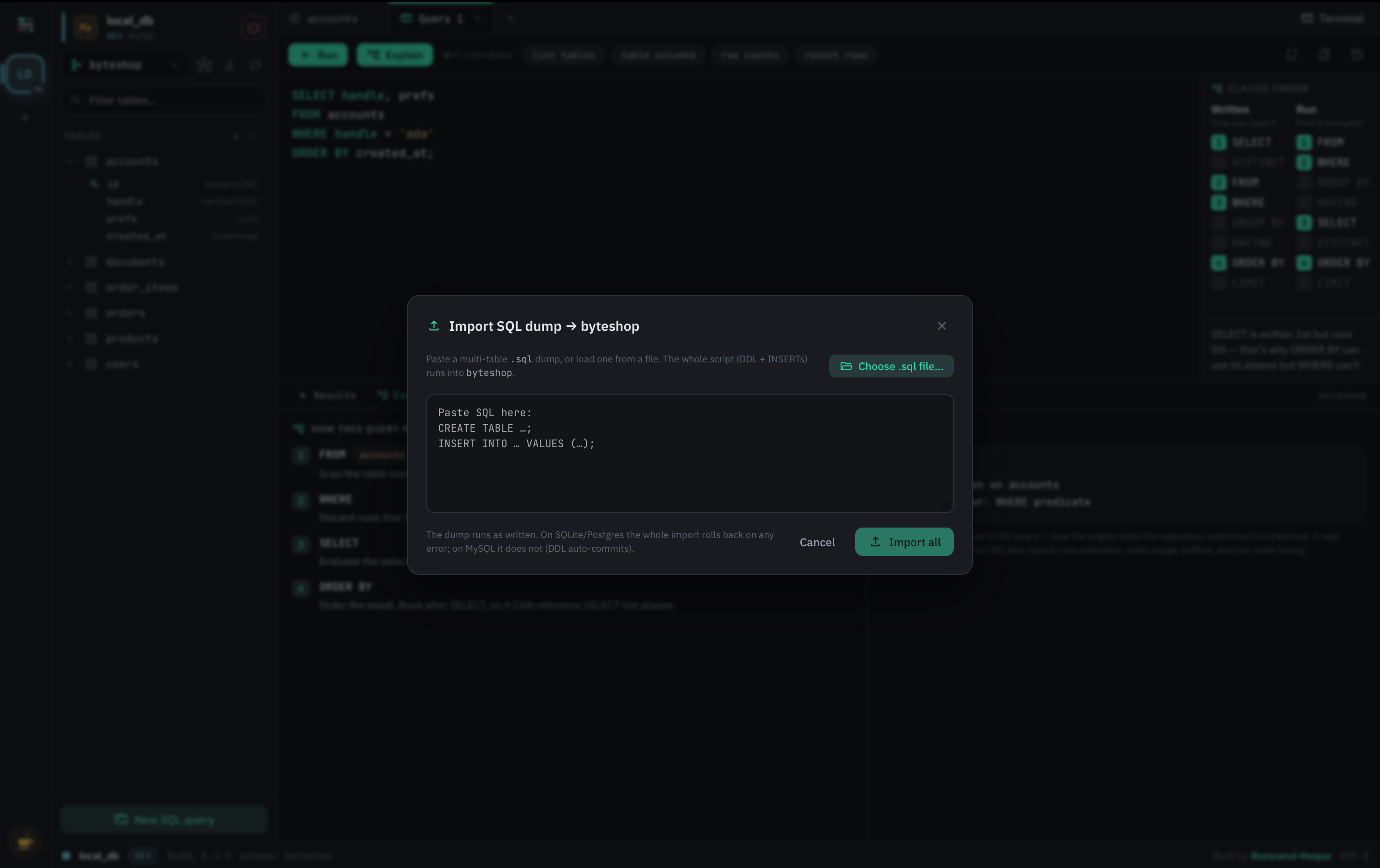
  • Import CSV or a .sql dump, with a per-table preview first
  • Progress bars on long exports
  • Generate realistic fake data into any table

Beyond SQL

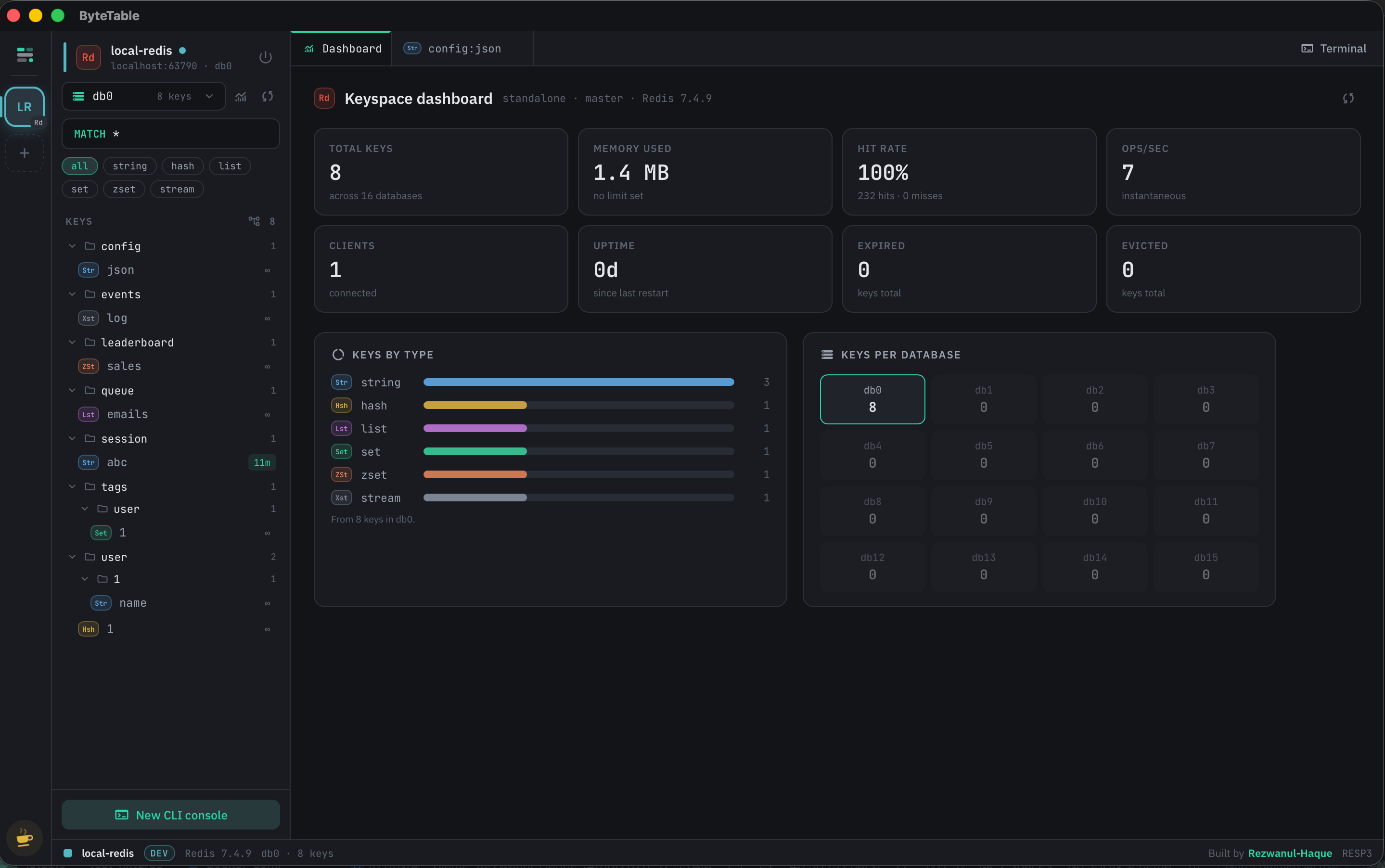
  • Redis keyspace browser: db0–db15, SCAN tree/flat list, TTL & memory info
  • Type-aware Redis editors for string, hash, list, set, zset and stream
  • DynamoDB: key schema + GSI/LSI, scan/query, JSON item editor, PartiQL console
  • MongoDB: find with projection/sort, tree ⇄ table views, JSON schema validation
  • MongoDB aggregation-pipeline builder and a real executionStats explain
  • Cassandra: CQL query builder with an explicit ALLOW FILTERING opt-in
  • Per-query consistency level, secondary indexes and materialized views
  • ClickHouse: ENGINE, sort key, partitions, data-skipping indexes, ALTER … UPDATE
  • Typesense: relevance playground with a per-hit x-ray, facets, curation and typo budgets
  • Single-table-design and collection schema maps for DynamoDB and MongoDB

Terminal & ops

  • Docked terminal panel, VS Code-style (Ctrl+`)
  • A real per-engine REPL: psql, mysql, sqlite3, sqlcmd, clickhouse-client
  • redis-cli, mongosh, cqlsh and PartiQL for the non-relational engines
  • An HTTP console for Typesense — paste a curl and it runs as-is
  • Live process list — see who is connected and what they're running
  • Kill a runaway session from the UI
  • Engine dashboards: size, keyspace, ring and cluster health at a glance

Private by design

  • Local-first: every query runs from the Rust core on your machine
  • The UI only ever sees opaque connection ids — never your credentials
  • No account, no cloud sync, no telemetry
  • Native builds for macOS, Windows and Linux
  • Apache 2.0 — and no feature is ever paywalled

Missing something you need? Open an issue — the roadmap is public and free features stay free.

Download ByteTable

Free for every platform. No sign-up.

…or install from your terminal
Recommended
$ curl -fsSL https://raw.githubusercontent.com/rezwanul-Haque/byteTable/main/install.sh | sh
Or via Homebrew:
$ brew install --cask rezwanul-haque/tap/bytetable
Install script detects arch and copies to /Applications.

Homebrew & .dmg installs need one extra step on first launch. ByteTable isn’t notarized yet (no Apple Developer account for now), so macOS asks you to confirm it’s safe — it is, and it’s open source. Open it via System Settings → Privacy & Security → Open Anyway, or run xattr -dr com.apple.quarantine /Applications/ByteTable.app. The recommended install script above skips this for you.

Or download from GitHub Releases

Free forever. Funded by you.

ByteTable has no pro tier and no subscription — every feature ships to everyone. If it saves you time, a coffee or a sponsorship keeps it alive and improving.

100% of contributions fund development. No feature is ever paywalled.